Getting Started
Start with the browser demo if you want to inspect Phylo-Movies without installing a backend. Use Docker or the local app when you want to process uploaded files or infer tree series from an MSA. The desktop app is an optional convenience build.
Phylo-Movies is open source and released under the MIT License. The source code, releases, and archived software citation are linked from the project README and repository.
Browser Demo
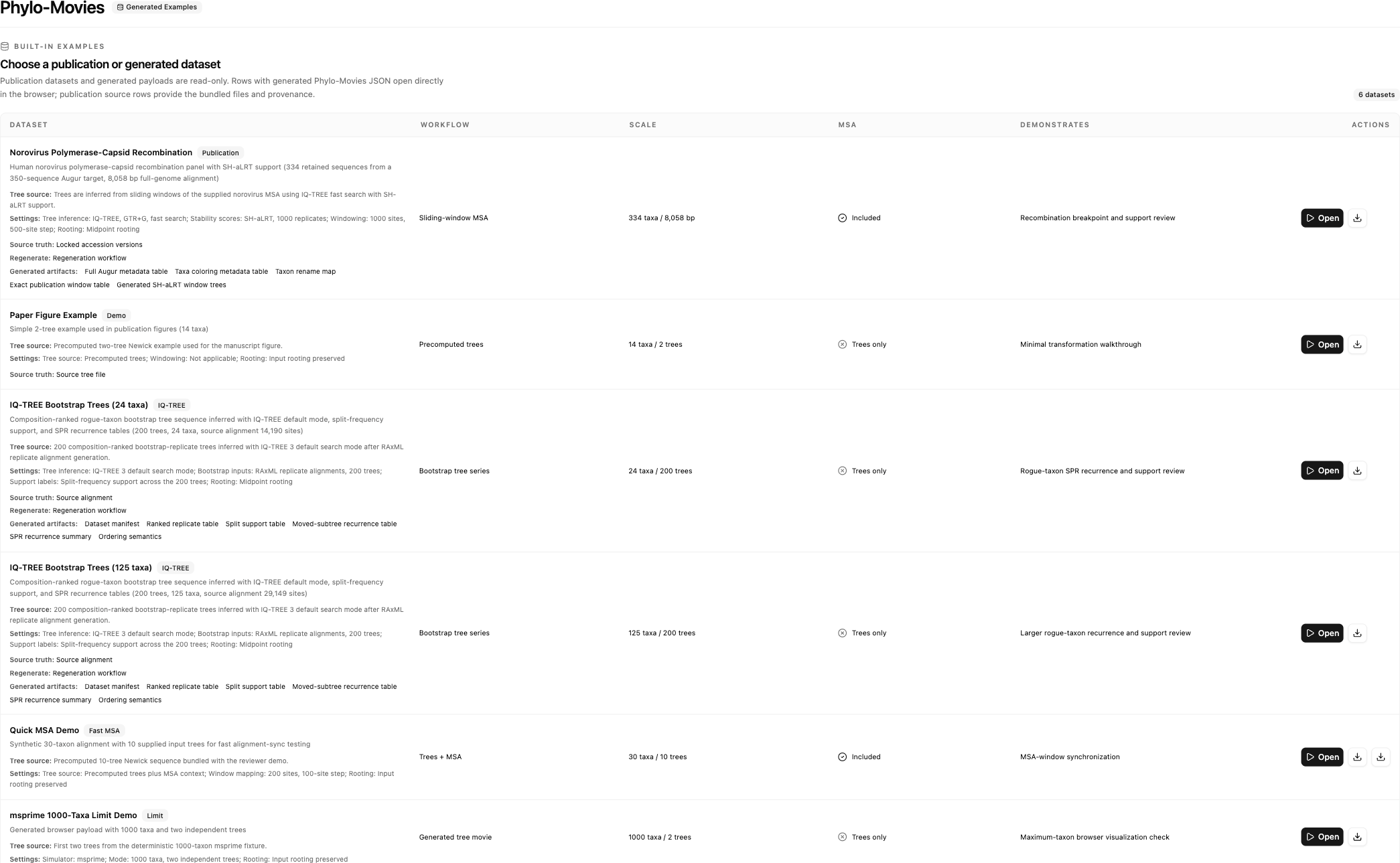
Open the generated examples at:
https://enesberksakalli.github.io/phylo-movies/demo/
The browser demo opens precomputed data and does not run BranchArchitect. It is the fastest way to inspect the tree canvas, movie timeline, comparison controls, MSA window, and export controls.
Local App From Source
Use the local full-stack workflow when you need backend processing. This is the recommended macOS reviewer path because it avoids unsigned desktop-app notarization issues.
Requirements:
- Git
- Node.js 22.12.0 or newer with npm 10 or newer
- Python 3.11 or newer
- Poetry
npm is installed together with Node.js. On macOS, install Node.js with Homebrew:
brew install node
node -v
npm -v
On macOS, Poetry can be installed at user level with Homebrew:
brew install poetry
Then install and start Phylo-Movies:
git clone --recurse-submodules https://github.com/enesBerkSakalli/phylo-movies.git
cd phylo-movies
npm ci
./start.sh
Open the local URL shown by the script, usually:
http://127.0.0.1:5173/
The setup page should report that the BranchArchitect backend is connected before you process uploads or load backend-driven examples.
Docker
Use Docker if you prefer a containerized full stack:
docker compose up --build
Then open:
http://localhost:8080/
Quick Restart
After the source checkout has already been installed, start it again with:
./start.sh
Leave the terminal running while using the browser app.
macOS Desktop App
The supported macOS reviewer path is the source checkout with ./start.sh, or Docker if you prefer a containerized full stack. The downloadable macOS desktop artifacts are unsigned convenience builds because the project does not currently use a paid Apple Developer ID for notarization. macOS Gatekeeper may therefore report the app as damaged or from an unidentified developer.
If you still want to use the unsigned desktop artifact, first confirm that it came from the project GitHub Releases page and that you trust that artifact. Move the app to /Applications, then check whether Gatekeeper quarantine metadata is present:
xattr -l "/Applications/Phylo-Movies.app"
To clear quarantine for that trusted release artifact:
xattr -dr com.apple.quarantine "/Applications/Phylo-Movies.app"
Do not use this workaround for artifacts downloaded from any location other than the project release page. If you do not want to change quarantine metadata, run the source or Docker workflow instead.
First Successful Run
- Open the setup screen.
- Choose Example Library.
- Load a small example dataset.
- Wait for the visualization workspace to open.
- Use the bottom transport controls to step through generated frames.
- Hover or select a timeline segment to inspect topology-change details.
If the setup screen reports an offline backend, use the browser demo for generated examples or start the backend locally.