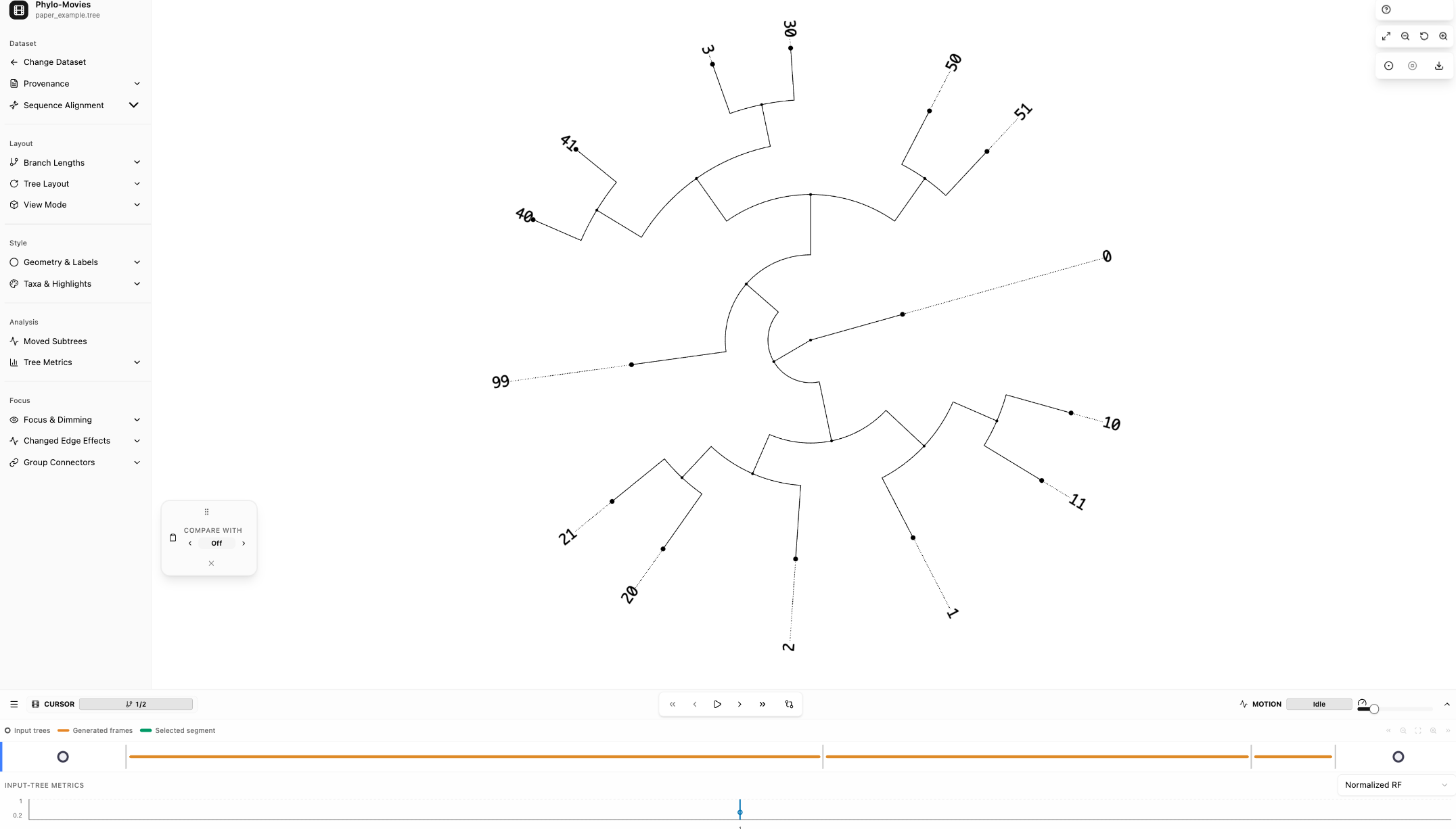
The visualization workspace is organized into the left sidebar, central tree canvas, top-right canvas controls, bottom movie timeline, and optional floating windows.
The loaded workspace shows the sidebar, tree canvas, pinned tree panel, and timeline.
Applies one square-root transform across the series for readability.
Readable scale: global log transform
Applies one log transform across the series for readability.
Animation scale: normalized sqrt
Normalizes each tree after a square-root transform for stable motion.
Animation scale: normalized input lengths
Normalizes each tree using input branch lengths for stable motion.
Animation scale: normalized log
Normalizes each tree after a log transform for stable motion.
Topology only: cladogram-style
Ignores branch lengths and emphasizes topology.
Experimental: doubled input lengths
Doubles input branch lengths.
Experimental: squared input lengths
Squares input branch lengths for experimental inspection.
Original scale preserves proportional input branch lengths. Readable scale applies one global transform. Animation scale is useful for visual continuity, but it is not absolute evolutionary scale.
Controls how much of the circle the radial tree uses.
Rotation
Rotates the whole tree around the canvas.
The tree canvas can also be magnified with the top-right zoom controls, mouse wheel, or two-finger trackpad gesture. Dragging the canvas moves the view across the current tree without changing the underlying topology or branch lengths.
Selects available internal-branch labels. Label / Raw Internal Label is the original Newick/source label text. Support / IQ-TREE / SH-aLRT is the parsed numeric SH-aLRT support value, so it can look identical when the raw label contains only that one value.